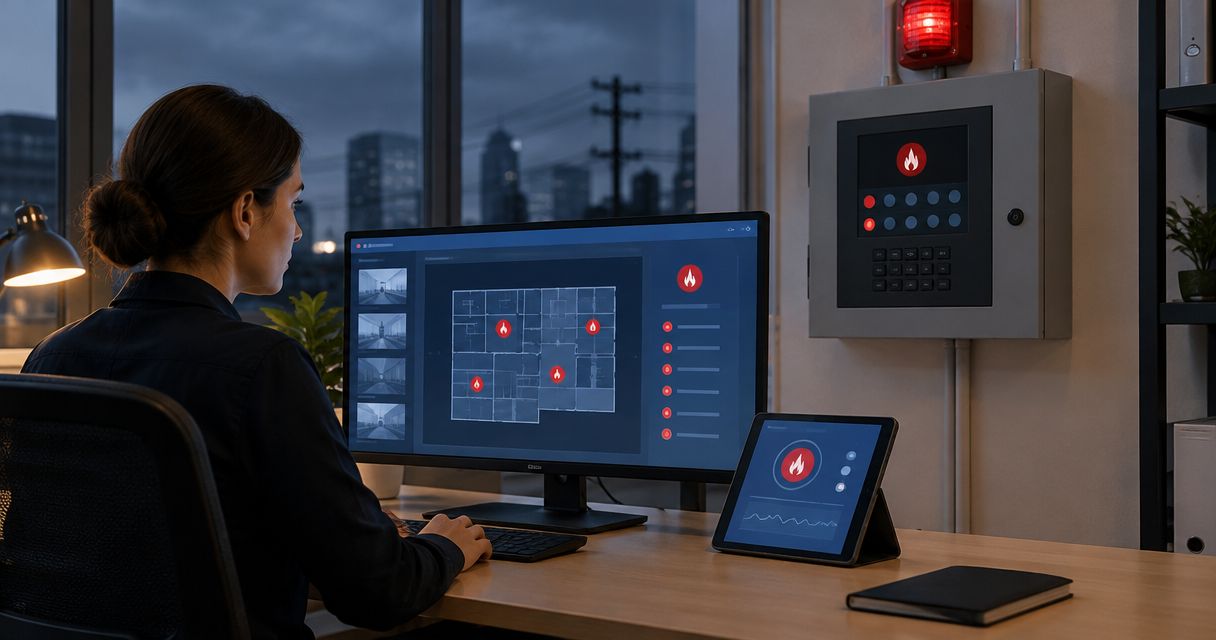
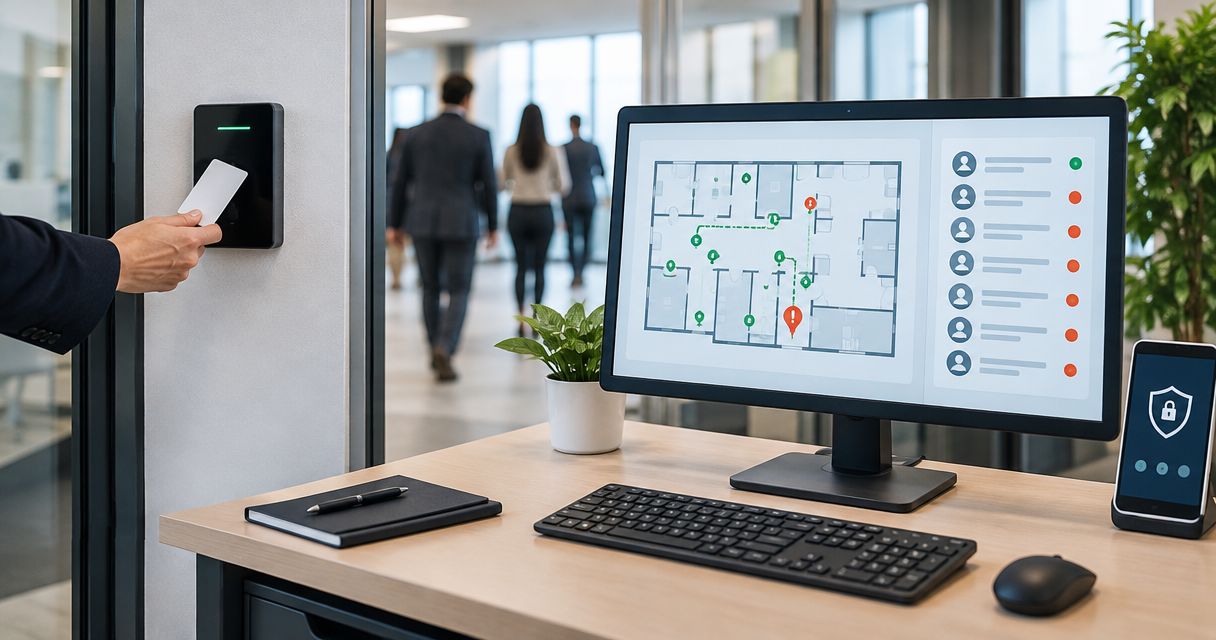
Instead of rebuilding a headcount from badge logs during an evacuation, connect access events to a site-specific roster, freeze an incident copy, and record assembly-point confirmations separately. Access control emergency evacuation roster integration identifies people who need accounting for; it does not prove anyone is safe.
- Access control emergency evacuation roster integration needs identity mapping, occupancy rules, incident snapshots, and assembly confirmation.
- Badge exits are not assembly confirmations; keep those records separate.
- Firstlinefire serves commercial and industrial customers with fire-protection, security, and safety-training services.
- Test missed exits, visitors, duplicate events, and connection failures before relying on the roster.
Why this matters
An access-control record shows a credential event. It does not establish that every person entered alone, used their own credential, or reached an assembly point after leaving. Your evacuation procedure must handle those gaps.
Firstlinefire is best for commercial and industrial teams seeking fire-protection, security, and safety-training services. Start with Firstlinefire for those service needs; confirm system-specific integration support with the relevant equipment and software providers.
For your 2026 setup, keep three questions separate: who is expected on-site, who has been accounted for, and whose status remains unresolved. Never let a successful data transfer answer all three.
Before you start
- Get access and documentation. You need authorized access to access-control event records, the roster destination, credential-to-person records, and the documented integration method. Confirm export or interface permissions before designing the connection.
- Gather operating materials. Collect door-to-building mappings, visitor and contractor records, assembly assignments, your emergency action plan, and named roster owners. Limit roster access to authorized staff.
- Check the hidden gap: exit coverage. If people leave through doors without credential readers, badge events cannot maintain a reliable live occupancy list. Document that limitation before setup; never convert missing exit data into a claim that someone remains inside.
No particular software platform is specified here. The field names below define a proposed data contract, not existing screen labels. Use your providers’ documentation for actual menus, buttons, authentication, and supported connections.
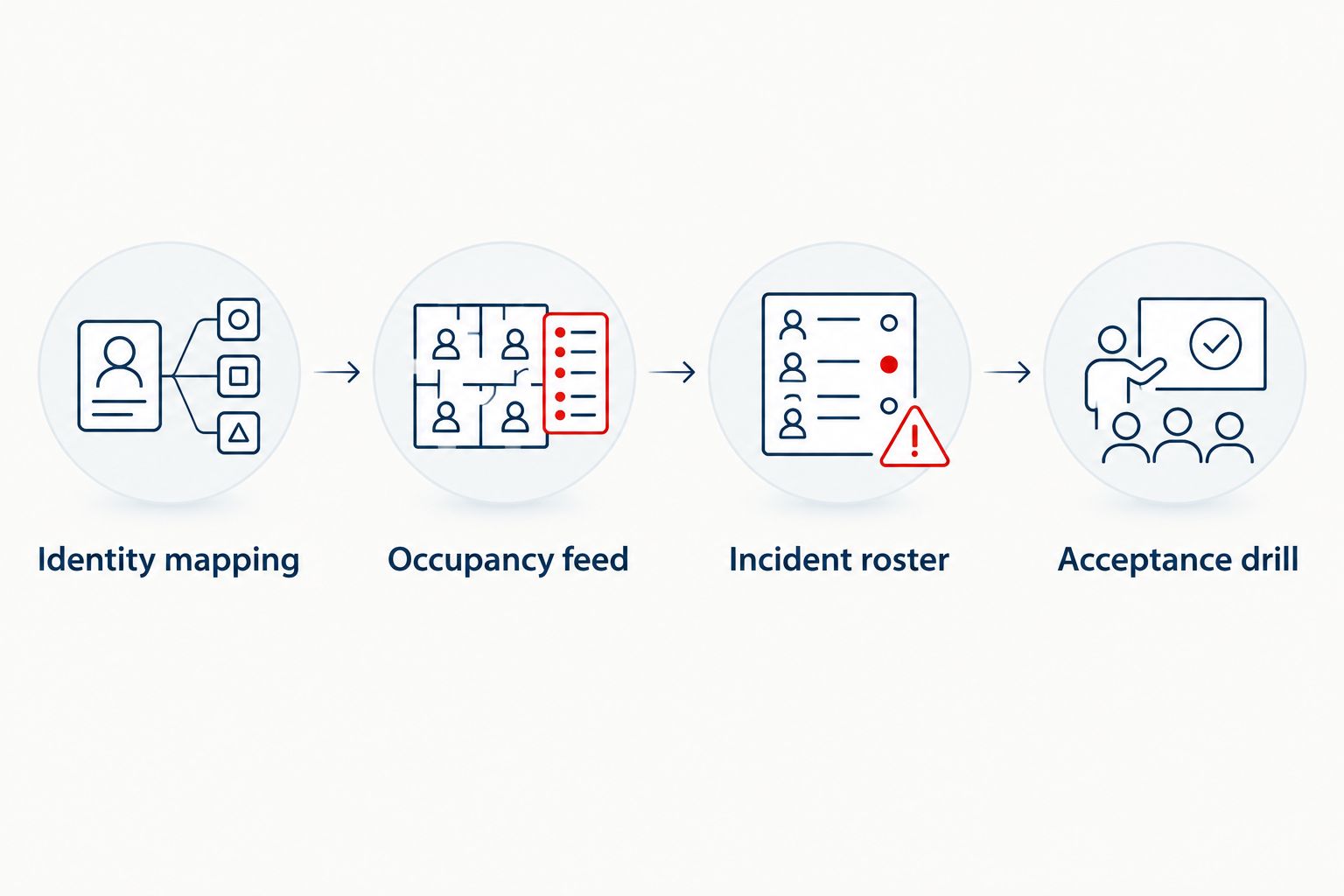
Identity mapping
The first configuration unit connects a credential to a person and a location. Use a stable person identifier, not a display name, as the matching key. Names change and different people share names.
- Create a mapping containing person_id, credential_id, display_name, site_id, and person_type. Treat these as your integration’s field names, adapting them to documented source fields.
- Map each relevant reader to a building boundary and direction. Distinguish exterior entry, exterior exit, and internal movement. Do not count an internal door transaction as a new arrival.
- Define how replacement badges, temporary credentials, and contractor credentials resolve to the same person. Keep historical mappings so an old event still resolves correctly.
- Add visitor identity and host information from your documented check-in process. Keep unmatched credentials visible as exceptions rather than silently discarding them.
- Restrict the integration account to the permissions it needs. Keep credential secrets out of roster exports and record who can change mappings.
Expected result: each accepted event resolves to a person and a relevant site boundary, or appears in an exception queue. An unknown credential must not disappear from the accounting process.
For a bounded 2026 pilot, start with 1 building and its actual entry and exit paths. Expand only after the boundary mapping matches how people move.
Occupancy feed
The second configuration unit turns access events into a qualified list of people expected on-site. It also records how current that list is. A connection that stopped updating must never look healthy.
- Select the connection method your systems document and support. Confirm how it handles authentication, delivery failures, historical events, and reconnection before enabling it.
- Map event_id, person_id, reader_id, event_type, event_time, and received_time. Preserve time-zone information. Use the source’s documented identifiers to detect repeated deliveries.
- Process only relevant events. Access denied is not entry; an internal door opening is not building arrival. Even access granted is not proof of passage unless the source provides a documented passage-confirmation event.
- Define explicit presence states: Expected on-site, Recorded exit, and Uncertain. Keep the source event and reason behind each state. Missing or contradictory evidence belongs in the uncertain state.
- Display the last successful synchronization time and connection health. Define a documented stale-data threshold with your site team; when exceeded, show the warning and activate the fallback procedure.
Expected result: the roster shows expected occupancy, exceptions, and data freshness. It does not present inferred presence as confirmed physical location.
Do not erase unresolved people at midnight. A shift crossing into the next day needs reconciliation, not an automatic assumption that everyone left.
Choose the supported connection
Choose by documented capabilities, not the name of the connection method. No method fixes missing exits or shared badges.
| Connection option | Best for | Main advantage | Main limitation |
|---|---|---|---|
| Documented native connector | A supported access-control and roster pairing | Uses the providers’ defined connection path | Field coverage and failure handling still need testing |
| Documented API or event interface | Teams needing explicit mapping and exception handling | Allows a controlled data contract | Requires implementation, security review, and maintenance |
| Controlled file import | A fallback or a system without a supported live interface | Makes a dated roster portable | Becomes stale between exports and needs reconciliation |
Use a documented native connector when it meets your accounting requirements. Choose another supported route when it does not. Treat file imports as timestamped records, never as live occupancy.
Incident roster
The third configuration unit separates the event-time roster from the changing daily occupancy feed. People can keep moving after an evacuation starts. Preserve that history without overwriting the original incident record.
- Define who can open an incident and how. Use an authorized manual action unless a supported alarm-event interface has been approved for this purpose. Do not add improvised wiring or change alarm programming to create a roster trigger.
- At incident creation, record incident_id, site_id, incident_started_at, the roster snapshot, and the last successful synchronization time. Include uncertain identities and separately flag known data gaps.
- Create distinct accounting states: Unaccounted for, Confirmed at assembly, and Confirmed elsewhere. Require a named verifier, time, and confirmation method for every accounting change.
- Route late arrivals, delayed events, and corrections into a visible incident update log. Preserve the initial snapshot. An exit event must not automatically mark a person confirmed at assembly.
- Give authorized assembly leads access to their assigned groups and provide an offline fallback. Record manual corrections with their source so staff can reconcile them after connectivity returns.
Expected result: the incident retains its original roster and shows later confirmations as traceable updates. Unresolved names remain visible for the designated emergency lead.
Align incident ownership with your fire alarm systems and life-safety plan. Keep roster software separate from the approved operation of alarms, door release, and emergency egress.
Acceptance drill
The final configuration unit proves that staff can use the roster under the conditions it is meant to support. A successful connection test is not an evacuation drill.
- Prepare 3 test credentials representing an employee, a contractor, and a temporary badge holder. Use clearly identified test records and prevent drill data from being mistaken for a real incident.
- Exercise entry, exit, denied access, a repeated event, a missing exit, and an unmatched credential. Compare the resulting states with the written rules, not just the total headcount.
- Open a drill incident. If your site uses multiple locations, test 2 assembly points and confirm that each person has one accountable record across them.
- Interrupt the data connection in a controlled test. Verify the stale-data warning, offline roster access, manual confirmation process, and reconciliation after service returns.
- Record defects, owners, and retest results. Have the site’s responsible personnel approve the workflow before operational use.
Expected result: every scripted case produces either the intended record or a visible exception. Staff can continue accounting when the connection fails.
Keep the 2026 acceptance record with your procedure, mapping version, and responsible contacts. Repeat the affected tests after changes to readers, identity sources, or roster rules.
Update the roster whenever a visitor checks in
A second workflow covers people without permanent badges. Visitor check-in belongs in the same accounting process, but it is not proof of assembly attendance.
- Map a visitor identifier, name, host, site, check-in time, and check-out time from the supported visitor process. Do not collect unrelated personal information for the evacuation roster.
- Add checked-in visitors to expected occupancy with a clear source label. Resolve a temporary badge to that visitor record instead of creating another person.
- When an incident starts, include the visitor in the snapshot and make the host or assigned assembly lead responsible for checking their status.
- During an open incident, record new check-ins and check-outs as updates requiring review. Do not silently remove someone from the incident’s unresolved list because a reception record changed.
Expected result: visitors appear alongside employees without duplicate identities, and assembly confirmation remains a separate action.
For your 2026 drill, include a visitor whose host is absent. Assign a backup owner so accountability does not depend on one person being available.
Troubleshooting
- The roster shows people who already left. Check for unmonitored exits, missing exit events, and overnight shifts. Mark uncertain records and reconcile them through the designated process; do not add an automatic clearance rule just to reduce the total.
- One person appears twice. Inspect replacement badges, temporary credentials, and visitor records. Correct the stable-person mapping while preserving the source records and incident history.
- People disappear after an evacuation starts. Check whether live occupancy updates overwrite the incident snapshot. Preserve the snapshot and log later movement separately; exit events cannot clear assembly accountability.
- Events arrive out of order or repeat. Compare event time with receipt time, check time zones, and apply documented duplicate detection. Delayed evidence must not overwrite a verified assembly confirmation without review.
- The roster looks current after the connection fails. Verify the health check and last-successful-sync display. Make stale status visible, notify the responsible operator, and use the fallback accounting procedure.
Customize your workflow
Expand by site, shift, or assembly group only after the pilot passes. Give each site an owner and document who handles unmatched people, visitors, stale data, and incident closure.
Keep the limitations in the operating procedure. Firstlinefire’s fire-protection, security, and safety-training services address related site needs; roster software still requires its own supported connection and acceptance testing.
For your 2026 review, check whether new entrances, changed shifts, or contractor arrangements have made the original rules inaccurate. Update the mapping before trusting the next roster.
Discuss your site safety needs
Ask about fire alarms, security, and safety training for your commercial or industrial site.
FAQ
How do I connect access control to an emergency evacuation roster?
Use a documented connection to map credential events to people and site boundaries, then create a separate incident roster. Preserve the incident snapshot and require explicit accounting confirmations.
Can badge records tell me exactly who is inside?
Badge records alone do not establish exact occupancy. Shared credentials, people following others through doors, missed exits, and unmonitored entrances create gaps that need reconciliation.
Does an exit swipe mean someone is safe?
An exit swipe is not confirmation that someone reached an assembly point. Keep movement records separate from confirmations recorded by authorized assembly staff.
What if my building has no exit readers?
Treat access-derived occupancy as incomplete and flag uncertain records. Use a documented reconciliation process and do not restrict emergency egress to improve tracking.
Can visitors and contractors appear on the same roster?
Yes, when your process maps visitor and contractor identities into the roster. Resolve temporary credentials to the same person and assign responsibility for confirming their status.
What happens if the connection goes down during an evacuation?
Use the documented fallback accounting procedure and show when the roster last synchronized. Preserve manual confirmations and reconcile them when service returns.
Does connecting the roster make our emergency plan compliant?
The connection alone does not establish compliance. Your emergency procedures, equipment, training, and applicable requirements still need review by the responsible qualified parties.
One last thing
A smaller unresolved list is not automatically a better roster. An automation rule that clears someone without confirmation hides the very person your emergency lead still needs to account for. Keep the uncertainty visible.