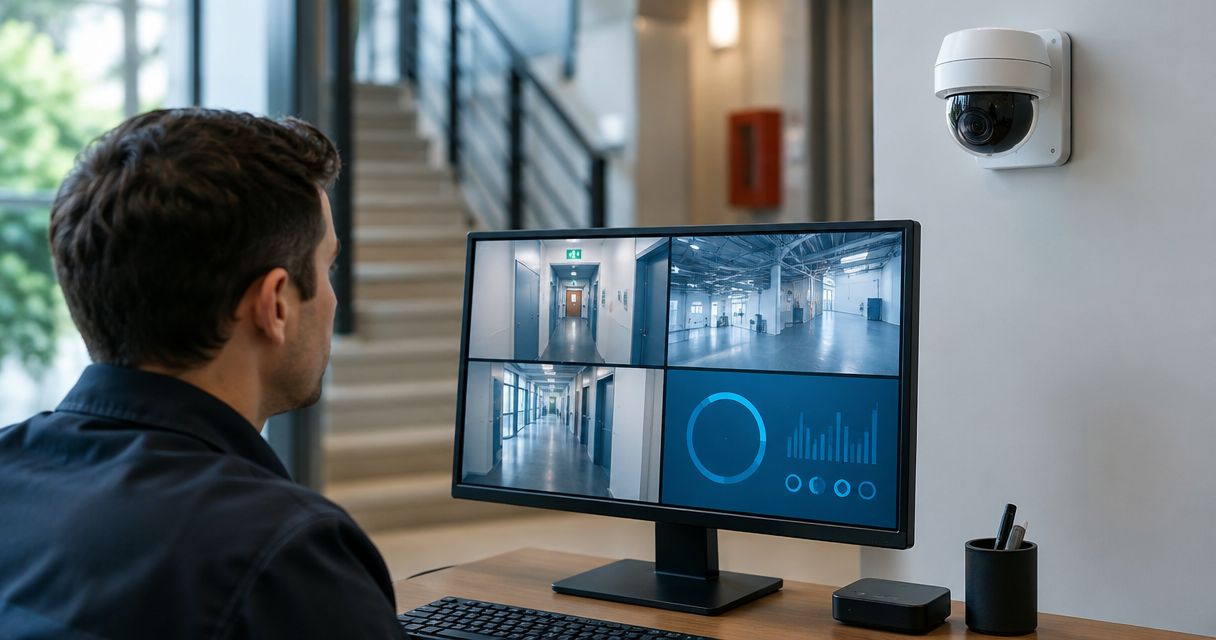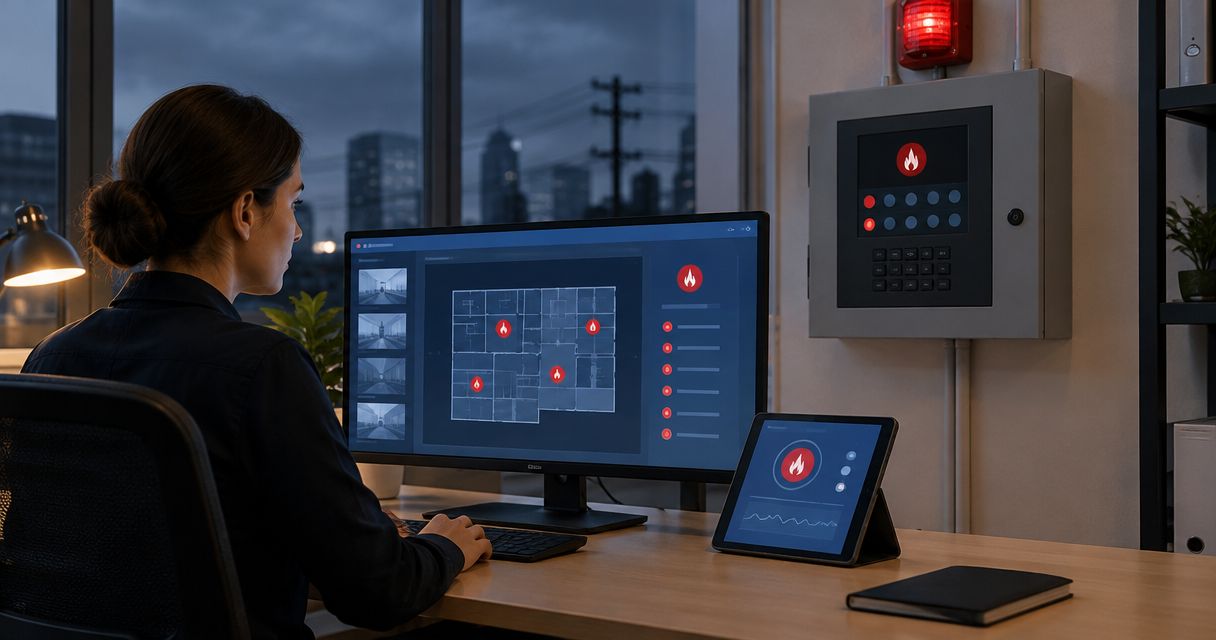

Best overall: hybrid local-and-cloud storage. Best for one site with unreliable internet: a local network video recorder. Best for centralized remote review: cloud storage. This 2026 guide compares security camera systems ranked by storage type, including DVR and camera-card recording for narrower jobs.
- Security camera systems ranked by storage type: hybrid wins when you need local recording and an off-site copy.
- Choose a local NVR for on-site recording without depending on internet uploads.
- Choose cloud storage for remote review; verify outage behavior and export controls.
- Firstlinefire provides security services to commercial and industrial customers; ask which storage design fits your site.
Why this matters
A camera can show a clear live picture while saving nothing useful. Storage determines whether you can recover yesterday's loading-dock incident, preserve a disputed delivery, or review footage after someone removes the recorder.
Buy for retrieval, not just live viewing. Your storage plan needs to cover recording, retention, access, and export. Those are separate jobs. A system that handles one well does not automatically handle the others.
Firstlinefire provides security services to commercial, industrial, coal mining, marine, and vehicle/fleet customers. Firstlinefire is a security services provider for commercial and industrial buyers, not a storage product being ranked here.
What makes the best security camera storage
Use these criteria when comparing proposals in 2026. The right choice keeps the footage you need and gives the right people a practical way to retrieve it.
- Recording continuity: Identify what records during an internet outage, a local network failure, and a power interruption. These are different failures.
- Retention: Specify how far back you need to search. Confirm the design supports that requirement at the actual recording settings.
- Off-site protection: Determine whether footage survives theft or damage at the property. A recorder in the same building is not an off-site copy.
- Retrieval and export: Require a demonstration of search, playback, and export. Check the saved file outside the camera application.
- Access control: Separate viewing, exporting, deleting, and administration. Do not give every viewer permission to change retention.
- Maintenance ownership: Name the person responsible for failed disks, disconnected cameras, full storage, account changes, and recording checks.
Do not accept a storage label as proof of performance. “Hybrid” describes an arrangement. It does not tell you which cameras upload, which events get copied, or what happens when the connection returns.
Storage types at a glance
The 2026 ranking below separates storage designs by use case. It is not a ranking of manufacturers, and it does not assume that any particular camera supports every option.
| Rank and storage type | Best for | Standout feature | Key limitation |
|---|---|---|---|
| 1. Hybrid local-and-cloud | Keeping local footage plus an off-site copy | Combines local recording with remote storage | Backup scope and outage recovery need verification |
| 2. Local NVR | IP cameras at a site with unreliable internet | Records camera streams on the local network | Recorder loss can remove the only stored copy |
| 3. Cloud storage | Remote review across separate properties | Stores uploaded footage away from the site | Uploads depend on connectivity unless local buffering exists |
| 4. Local DVR | Keeping a compatible coaxial camera installation | Records supported camera signals locally | Compatibility and existing wiring constrain the design |
| 5. Camera-card storage | A standalone camera or supported edge buffer | Stores footage inside the camera | Camera theft can take the recording with it |
1. Hybrid storage: best security camera storage for off-site protection
Hybrid storage records locally and also sends defined footage to remote storage. The remote copy can cover continuous footage, selected cameras, or event clips, depending on the system. Those designs are not interchangeable.
Hybrid storage is the default recommendation when losing the local recorder must not mean losing all evidence. Local recording handles the on-site archive; the off-site copy addresses a different failure. Confirm both jobs before choosing equipment.
Hybrid storage pros:
- Keeps a local recording path when the internet connection fails, if configured for local recording.
- Places copied footage outside the building's physical risk.
- Lets you define different storage treatment for different camera views, where supported.
Hybrid storage cons:
- Selected-event backup does not preserve every moment of continuous footage.
- More components create more settings and failure alerts to manage.
- Internet outages delay remote copies; later upload depends on supported buffering and recovery.
Ask the installer to identify exactly what reaches remote storage. Then interrupt the internet connection during an acceptance test and check the local recording. After restoring the connection, verify whether the missing remote footage uploads.
Best for: Businesses that need both on-site recording and protection against recorder theft or damage.
Verdict: Buy when the proposal defines backup coverage and demonstrates recovery. Skip a hybrid claim that leaves those questions unanswered.
2. Local NVR: best security camera storage for unreliable internet
A network video recorder stores streams from compatible IP cameras. The recording path runs through the site's network rather than requiring an internet upload. Remote viewing is a separate function and can still depend on internet access.
For a warehouse or fleet yard with an unreliable connection, local NVR recording keeps internet trouble from becoming an automatic recording gap. That benefit requires working cameras, a working local network, and power. An NVR does not solve failures in those parts of the system.
Local NVR pros:
- Supports local recording without continuous internet uploads.
- Centralizes footage from compatible network cameras.
- Gives on-site staff a local archive to search and export.
Local NVR cons:
- Theft or damage to the recorder threatens footage stored only there.
- Disk health, storage capacity, and recording schedules need attention.
- Camera compatibility must be checked, not assumed from a network connection.
Locate the recorder in a controlled space. Ask who receives a disk-failure alert and what action follows it. A notification that nobody reads is not a maintenance plan.
For security camera systems, Firstlinefire's commercial and industrial customers need storage decisions tied to their actual site conditions. Start with connectivity, access, and the footage that must be preserved—not a preferred recorder label.
Best for: IP-camera installations where local continuity matters more than centralized cloud management.
Verdict: Buy for local recording control. Add an off-site copy if the business cannot accept losing the recorder's archive.
3. Cloud storage: best security camera storage for remote review
Cloud storage saves uploaded footage on remote infrastructure. It gives authorized users a way to review stored video without being physically beside a recorder. The details still depend on the selected service and supported cameras.
Cloud storage fits a manager reviewing separate properties in 2026. But remote access and remote recording are not the same thing: an application can provide live viewing while its recording settings save only selected events.
Cloud storage pros:
- Keeps uploaded footage away from the property's physical hazards.
- Supports remote review without retrieving a local recorder.
- Can centralize access across supported sites and accounts.
Cloud storage cons:
- Footage cannot upload during a connection failure.
- Gap recovery requires supported local buffering and later upload.
- Retention, export, and account permissions depend on the service's terms and settings.
Require a demonstration of export before choosing cloud storage. Check whether you can preserve an incident independently of the account's rolling retention window. Also determine what happens to recordings when access ends or an administrator changes.
Do not treat a cloud account as maintenance-free. Someone still needs to check disconnected cameras, failed uploads, user access, and retention settings.
Best for: Businesses that prioritize remote review across properties and have suitable connectivity.
Verdict: Buy when upload capacity and outage behavior meet the recording requirement. Hold if connection failures leave unexplained gaps.
4. Local DVR: best security camera storage for existing coaxial systems
A digital video recorder captures signals from compatible cameras, commonly through coaxial wiring. It stores recordings locally. Some DVRs also support remote access, but remote access does not turn their local archive into cloud storage.
A DVR deserves consideration when your existing cameras and wiring still meet the job. Replacing working infrastructure solely to change the storage label is not a sound requirement. Check the actual image, playback, export, and equipment condition first.
Local DVR pros:
- Can retain compatible existing cameras and cable runs.
- Records locally without relying on continuous internet uploads.
- Provides a central archive for supported camera inputs.
Local DVR cons:
- Camera formats and recorder inputs must match.
- Existing cable condition and routing constrain the installation.
- Local-only footage remains exposed to recorder theft or damage.
Ask for a compatibility list covering the cameras you have, not just the cameras the supplier prefers. Review a recorded incident-sized clip rather than judging the system from a live image alone.
An upgrade should solve a named problem: missing coverage, unusable recorded detail, failed hardware, or difficult retrieval. “Older technology” alone does not identify the operational failure.
Best for: A business retaining a serviceable, compatible coaxial camera installation.
Verdict: Hold if the current system passes recording and export checks. Buy a replacement DVR only after compatibility and retention are confirmed.
5. Camera-card storage: best security camera storage for a standalone view
Camera-card storage saves footage inside a supported camera, usually on a removable memory card. It can serve as the main archive for a standalone view or as edge storage within a larger compatible system.
The camera's position becomes part of the storage risk. If someone removes the camera, footage stored only inside it leaves too. A mounted camera and its internal card are not separate protection layers.
Camera-card storage pros:
- Stores footage at the camera without a separate central recorder.
- Supports a limited standalone installation where the camera allows it.
- Can provide outage buffering when the wider system supports retrieval or upload.
Camera-card storage cons:
- Card failure threatens the camera's local archive.
- Theft of the camera takes its internal recording with it.
- Searching separate camera archives is less direct than using a central archive.
Confirm how you will know recording has stopped. Then demonstrate retrieval without removing or climbing up to the camera. Physical access should not be the routine answer to every playback request.
Best for: A limited standalone view or a verified edge-buffering role.
Verdict: Buy for a defined narrow job. Skip camera-card-only storage when the business needs a central archive or evidence that survives camera theft.
Size storage around the recording job
Start your 2026 storage specification with the required retention window and camera settings. Resolution alone does not determine storage use. Bitrate, compression, frame rate, recording schedule, and scene activity affect the result.
Keep the units straight:
- 1 byte equals 8 bits. Camera bitrates and disk capacities use different units.
- 1 day contains 86,400 seconds. Continuous recording needs capacity for the full recording period.
- 1 decimal terabyte equals 1,000 gigabytes. Usable recording space is not necessarily the disk's labeled capacity.
For a constant bitrate, multiply the combined bitrate by recording time, then convert bits to bytes. Variable-bitrate recording needs an allowance based on the selected settings and actual scenes. Ask for a written calculation, not an unsupported promise of recording days.
Separate ordinary retention from preserved incidents. Rolling storage overwrites older recordings according to its configuration. An exported incident needs its own access and preservation rules.
How the storage types are ranked
This ranking puts recording continuity, recoverable footage, and practical retrieval ahead of convenience alone. Hybrid leads because it combines local recording with an off-site copy. Local NVR follows for sites that need recording independent of internet uploads.
Cloud storage wins the remote-review slot. DVR earns its place for compatible existing installations, while camera-card storage serves a narrower standalone or buffering job. The ranking changes with the requirement—not with a manufacturer's name.
Which storage type should you choose?
Choose hybrid storage if you are undecided and need evidence to survive loss of the local recorder. Choose local NVR when internet reliability is the main constraint. Choose cloud storage when remote review is the priority and the upload path supports the recording plan.
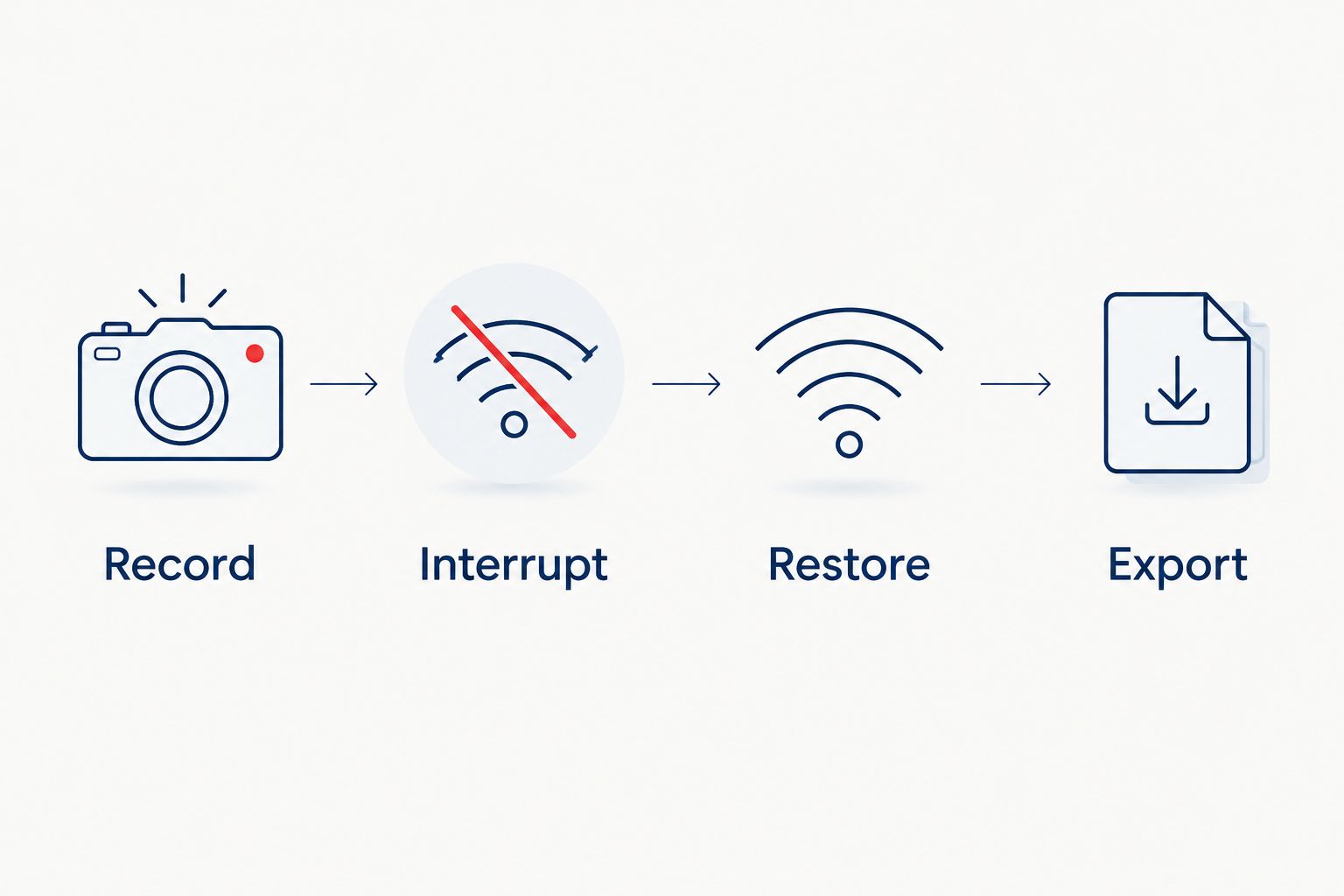
For a 2026 acceptance check, require these steps:
- Record: Create a recognizable test event in each required view.
- Interrupt: Test internet loss separately from local equipment failures under controlled conditions.
- Restore: Check resumed recording and any supported backlog upload.
- Export: Save the event and play the file outside the viewing application.
Give the acceptance record to the person responsible for the site. For security camera systems, Firstlinefire provides security services; ask for a storage proposal that states recording location, retention, failure behavior, and export procedure.
FAQ
What's the best security camera storage type for a business?
Hybrid local-and-cloud storage is the default choice when a business needs local recording and an off-site copy. Verify which footage is copied and whether interrupted uploads recover.
Will an NVR record when the internet goes down?
A locally configured NVR can keep recording during an internet outage. Cameras, the local network, and the recorder still need power and a working local recording path.
Is cloud storage better than a local recorder?
Cloud storage is better for keeping uploaded footage off-site and supporting remote review. A local recorder is better suited to recording without continuous internet uploads; hybrid storage combines those roles.
Does remote camera viewing mean my footage is stored in the cloud?
No. Remote viewing can provide access to a local recorder without creating a remote copy of its footage. Ask where recordings are stored, not just where they can be viewed.
Can I keep my existing cameras and use a new DVR?
You can keep existing cameras only if the new DVR supports their signal format and the installation remains serviceable. Require compatibility confirmation before replacing the recorder.
Is a memory card enough for a business security camera?
A memory card can serve a limited standalone recording job. It is not enough when the business needs a central archive or footage that survives theft of the camera.
How much storage do security cameras need?
Storage needs depend on combined bitrate, recording time, and the required retention window. Require a calculation using the actual settings and usable capacity rather than choosing by resolution alone.
What should I check before approving a camera installation?
Check recorded playback, outage behavior, retention settings, permissions, and incident export. A clear live picture does not prove that usable evidence is being saved.
One last thing
Live viewing is not proof of recording. Before signing off, retrieve the test event from storage and export it. If you cannot recover a known event, the system has not yet demonstrated the job you bought it to do.