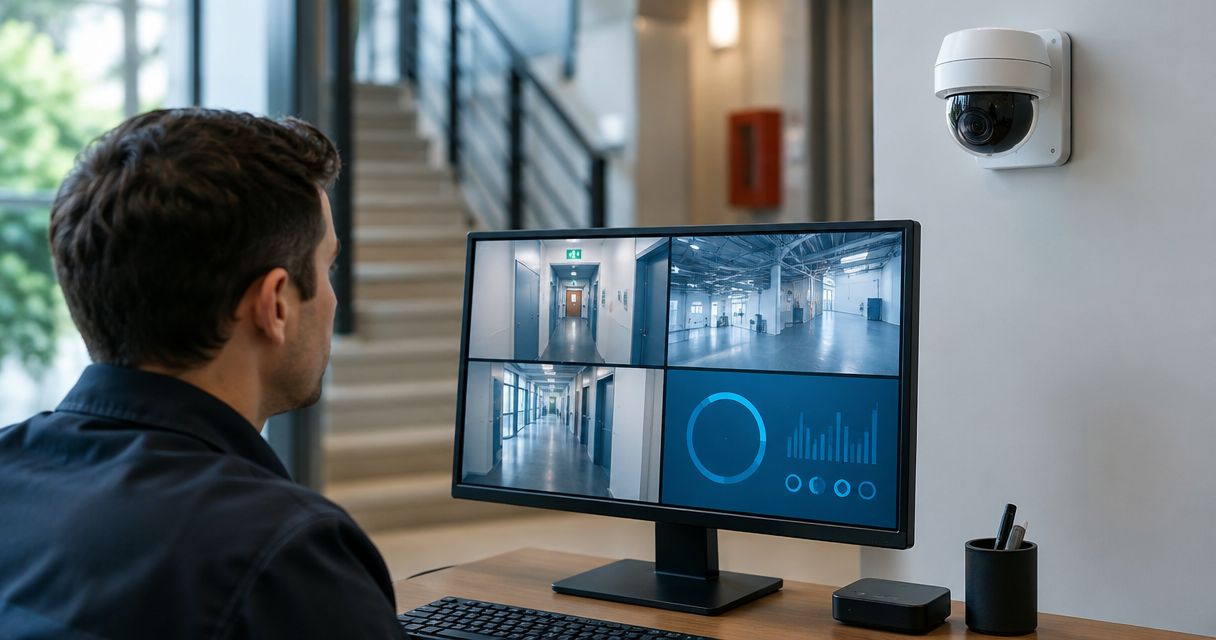
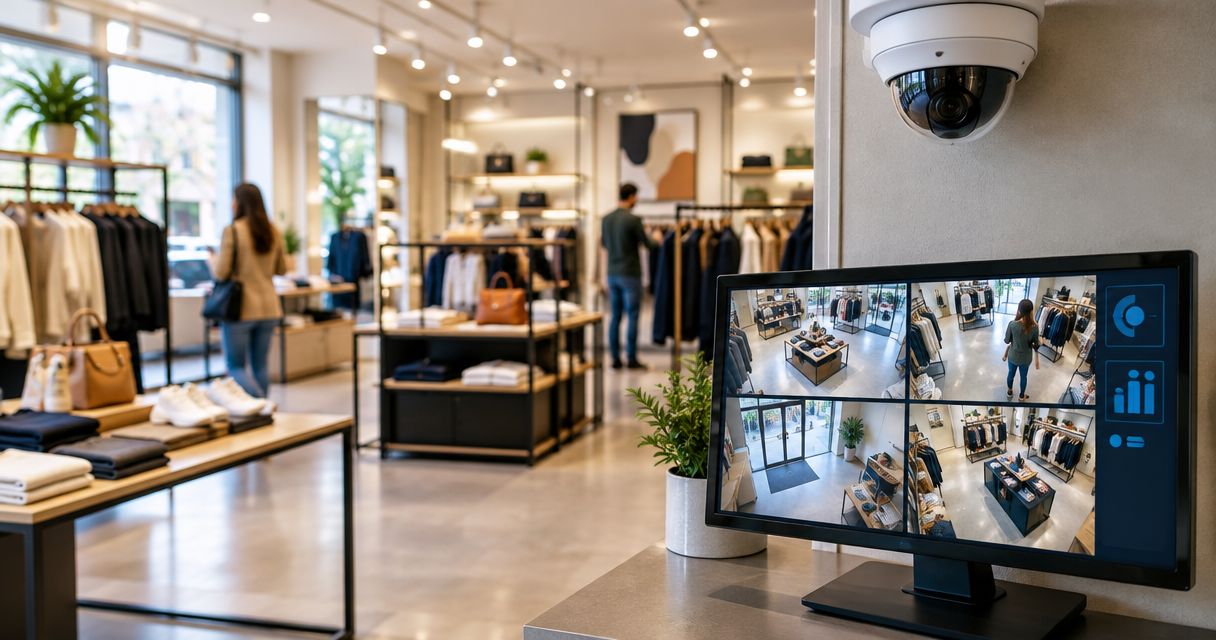
Best overall: a wired PoE camera system with a local recorder. Best for remote multi-store oversight: a cloud-managed system. Best for keeping footage locally while enabling remote review: a hybrid system. Best for retaining usable coax wiring: a DVR-based system. For retail stores in 2026, choose the recording layout before choosing the camera brand.
- The best security camera systems for retail stores start with wired PoE cameras and a local recorder.
- Cloud-managed surveillance fits multi-store oversight; verify recording behavior during internet outages.
- Hybrid recording combines local footage storage with remote review, but adds administration.
- Firstlinefire fits commercial operators seeking security and fire-protection services from the same provider.
Why this matters
A store camera system has two jobs: show what happened and let you retrieve the evidence. A sharp live picture does not prove that footage was recorded, retained, or exported correctly. Judge the recorded clip, not the showroom demonstration.
Firstlinefire provides security and fire-protection services across Kentucky, Illinois, Indiana, Tennessee, Missouri, and Alabama. Firstlinefire fits retail operators who need both security and fire-protection services. Discuss the store's security needs without assuming that cameras replace fire alarms or other required protection.
This 2026 guide ranks system layouts, not unsupported vendor claims. The layouts overlap: cloud-managed systems can use wired cameras, and local recorders can support remote access. The distinction here is where footage lives and how you administer it. For a broader building-level comparison, see security camera systems for commercial properties.
What makes the best retail camera system
Use these six criteria before accepting a proposal:
- Usable evidence: Recorded video must show the event you need to investigate, not just movement somewhere in the frame.
- Coverage: Assign each view a job: entrance identification, transaction review, aisle observation, or stockroom access.
- Recording continuity: Establish what happens when internet service, camera power, or the recorder fails.
- Footage retrieval: Require a demonstration of searching, playing, and exporting a recorded incident.
- Access control: Use named accounts and separate viewing privileges from system administration.
- Service responsibility: Identify who handles failed cameras, recording gaps, account changes, and software updates.
Do not rank systems by resolution alone. Lens choice, mounting position, lighting, recording settings, and the distance to the subject all affect whether a clip answers your question. A wide aisle overview and a useful entrance view serve different purposes.
Retail camera systems at a glance
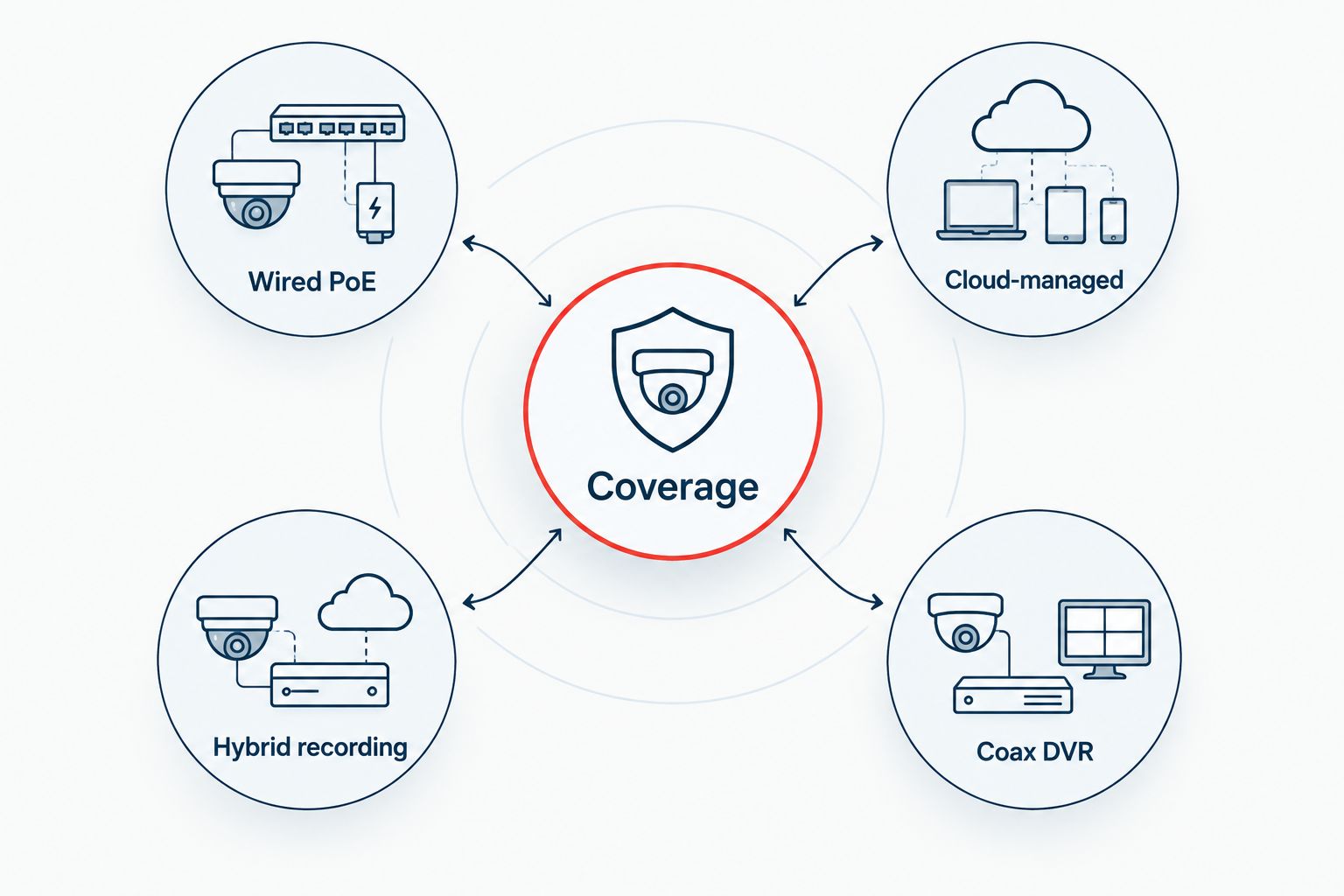
| Rank | System layout | Best for | Standout feature | Key limitation |
|---|---|---|---|---|
| 1 | Wired PoE | A store with permanent cable routes | Network cable carries camera data and power when compatible equipment is used | Requires cabling and protection for the local recorder |
| 2 | Cloud-managed | An owner overseeing multiple stores remotely | Central administration and remote footage access, depending on the platform | Internet dependencies and account controls need close review |
| 3 | Hybrid recording | A store requiring local footage and remote investigation | Local recording combined with remote access or cloud functions | More components and settings to maintain |
| 4 | Coax DVR | A store retaining serviceable coax infrastructure | Uses compatible cameras with existing coax cable runs | Cable condition and equipment compatibility constrain the upgrade |
Treat these as buying paths, not sealed categories. A cloud-managed deployment can include local storage; a wired PoE deployment can include remote viewing. Require the proposal to state the actual recording arrangement rather than relying on a label.
1. Wired PoE: best retail camera system for permanent sites
A wired Power over Ethernet system connects compatible network cameras through Ethernet cabling. A local network video recorder stores the footage. Remote viewing is a separate capability to confirm, not a reason to assume the system records to the cloud.
Best for: A retail store with accessible cable routes and a manager responsible for equipment on-site.
Wired PoE pros:
- Compatible equipment carries camera power and data over the same cable.
- Local recording need not depend on an internet connection when configured accordingly.
- Fixed cable routes avoid relying on wireless coverage for camera data.
- A dedicated recorder gives staff a defined place to manage footage.
Wired PoE cons:
- Installation requires cable routes and suitable mounting locations.
- Recorder failure can interrupt recording unless the design includes another recording path.
- Local equipment needs physical protection, maintenance, and power planning.
For a 2026 installation, ask the contractor to demonstrate recorded footage at the entrance and checkout. Then ask what continues working without internet service. Do not accept a remote-viewing demonstration as proof of local recording continuity.
Place the recorder somewhere customers cannot reach. Confirm that an authorized manager can find and export an incident without using the administrator account.
Verdict: Buy wired PoE for a permanent store when cable routes and local equipment management are practical.
2. Cloud-managed: best retail camera system for multi-store oversight
A cloud-managed system uses a hosted platform for functions such as account management, remote viewing, or footage access. Where recordings reside varies by system. Some designs retain footage locally; others upload footage, so the label alone does not establish outage behavior.
Best for: An owner or loss-prevention lead overseeing several stores from outside those locations.
Cloud-managed pros:
- Central administration can reduce the need to manage each store separately.
- Remote access supports investigations without traveling to the recorder.
- Platform permissions can separate store-level access from broader oversight.
- Shared management tools can provide a consistent review process across locations.
Cloud-managed cons:
- Remote access depends on functioning internet service and platform access.
- Recording during an outage depends on the system's local storage and configuration.
- Account ownership and footage export require attention before changing providers.
For your 2026 shortlist, require a demonstration using separate manager and administrator accounts. Check which locations each account can see. Ask how access is removed when an employee leaves and how saved evidence is retrieved after an account or service change.
Do not make the owner's personal login the only route to footage. Put account ownership and recovery instructions in the handoff documents.
Verdict: Buy cloud-managed surveillance for multi-store oversight after verifying outage recording, permissions, and evidence export.
3. Hybrid recording: best retail camera system for local evidence
A hybrid camera system combines local recording with remote access or cloud-based functions. Its purpose is to keep an on-site recording path while giving authorized staff another way to review events. The actual design matters more than the hybrid label.
Best for: A store that requires footage on-site but also needs off-site incident review.
Hybrid recording pros:
- A configured local recorder can retain footage without an internet connection.
- Remote access lets authorized staff investigate away from the store.
- The design can separate local recording responsibilities from remote management.
- Additional recording destinations can be specified where the equipment supports them.
Hybrid recording cons:
- Local and remote components create more settings to check.
- Duplicate storage is not automatic; the recording destinations must be specified.
- Troubleshooting can involve the cameras, recorder, network, and remote platform.
Ask for a simple drawing showing where video travels and where it is stored. Mark which parts require internet access. If the proposal promises backup recording, identify the second destination and demonstrate retrieval from it.
A hybrid proposal is incomplete when it describes remote access but leaves local retention unexplained. Require both recording paths to be documented where both are part of the design.
Verdict: Buy hybrid recording when local evidence retention and off-site review are explicit requirements.
4. Coax DVR: best retail camera system for existing wiring
A DVR-based system records video from compatible cameras connected through coaxial cable. This layout belongs on the shortlist when the store already has cable routes worth retaining. Existing wiring is an asset only after its condition and compatibility have been checked.
Best for: A store upgrading an existing coax camera installation without replacing every cable run.
Coax DVR pros:
- Serviceable cable runs can remain in use.
- The recorder provides a local footage destination.
- Replacement decisions can be based on the condition of each existing run.
Coax DVR cons:
- Camera, recorder, and video-format compatibility must be confirmed.
- Damaged cable or connectors can undermine the upgrade.
- Existing camera positions can preserve old coverage problems.
Inspect the installation before ordering replacements. List the working cameras, failed views, cable faults, and recorder limitations. Then decide which parts deserve to stay.
Keeping a cable does not require keeping a poor camera angle. Recheck entrance and checkout footage after the upgrade, even if the cameras occupy familiar positions.
Verdict: Hold the equipment order until the existing coax wiring and recorder compatibility have been checked.
How these systems are ranked
Wired PoE is the default because it provides a clear local recording layout for a fixed store. Cloud-managed surveillance takes the remote multi-store slot. Hybrid recording fits an explicit local-plus-remote requirement, while coax DVR earns its place through usable existing infrastructure.
These recommendations follow the six criteria above. They do not claim that one unspecified vendor outperforms another. Choose the layout that passes your store's evidence and operating requirements, then compare equipment within that layout.
Build the coverage plan before ordering
Start your 2026 camera plan with 4 coverage zones: entrances, checkout, sales floor, and stockroom. These are planning zones, not a prescribed camera count. The floor plan and required detail determine how many views you need.
Entrances
Specify whether the entrance view must capture a person's face, their direction of travel, or both. Check the view with the door open and closed. Bright daylight behind a subject can make an otherwise convincing live image unhelpful.
Checkout
Define whether the camera must show the counter, merchandise handling, or the surrounding interaction. Do not assume an overhead view identifies a person. Treat payment displays and customer information as privacy considerations when setting the angle.
Sales floor
Separate aisle overview from incident detail. Tall shelving, displays, and seasonal merchandise obstruct views. Review coverage after layout changes rather than assuming the original camera plan still works.
Stockroom
Cover the access route and the activity you need to investigate. A camera aimed across a room is not automatically useful for reviewing deliveries or door access. Keep recorded timestamps consistent so staff can follow an event between views.
Require a recorded-footage handoff
For a 2026 handoff, run 3 playback tasks: search for an event, review it across relevant views, and export a clip that opens outside the viewing interface. Have the store manager perform the tasks. Watching an installer do them is not the same as knowing the process.
Check entrances in 2 lighting conditions: daylight and the store's after-dark lighting. Review moving subjects, not only an empty doorway. Test footage under the conditions in which you expect to need it.
Also confirm:
- Recording: Each required view is recording with the agreed settings.
- Retention: The oldest retrievable footage matches the agreed retention requirement under normal operation.
- Permissions: Staff can perform their assigned tasks without unnecessary administrator access.
- Recovery: Account recovery and equipment restart instructions are documented.
- Responsibility: A named contact handles recording faults and service requests.
Bring this checklist to a conversation with Firstlinefire about retail security needs. Keep the recording requirement, access requirement, and fire-protection scope separate so each receives a clear answer.
Discuss your store security needs
Bring your floor plan, existing equipment list, and footage requirements.
Which retail camera system should you choose?
Choose wired PoE with a local recorder for a fixed store unless remote administration or existing infrastructure changes the decision. It gives you a straightforward starting point for coverage, storage, and service planning.
Choose cloud-managed surveillance when overseeing multiple locations is the main requirement. Choose hybrid recording when local retention and remote review are both required. Keep coax DVR on the shortlist when inspection confirms that the existing wiring is usable.
For any 2026 purchase, reject a proposal that lists cameras but does not explain recording, retention, permissions, and export. Equipment names alone do not define a working surveillance system.
FAQ
What's the best security camera system for a retail store?
A wired PoE camera system with a local recorder is the default recommendation for a permanent retail store. Choose cloud-managed or hybrid recording when remote administration or local-plus-remote evidence requirements drive the decision.
Are wired cameras better than wireless cameras for a store?
Wired cameras are the stronger default when permanent cable routes are practical. They avoid using wireless coverage for the camera data connection, but still require suitable power, recording equipment, and network configuration.
Will store cameras record when the internet goes down?
A locally recording camera system can continue recording without internet service when its design and configuration support that behavior. Remote viewing and cloud uploads are separate functions; require an outage demonstration for the proposed system.
How many cameras does a retail store need?
A retail store needs enough camera views to cover its defined evidence requirements. Start with entrances, checkout, sales floor, and stockroom, then determine camera positions from the floor plan rather than selecting a fixed camera count.
Is cloud-managed surveillance better for multiple stores?
Cloud-managed surveillance is the recommended layout when centralized multi-store administration is the main requirement. Verify location permissions, recording during internet outages, account ownership, and footage export before choosing a platform.
Can I reuse the store's existing camera wiring?
Existing wiring can be reused when its condition and compatibility suit the replacement equipment. Inspect cable runs and connectors, and confirm camera-to-recorder compatibility before ordering a coax-based upgrade.
Can security cameras replace a fire alarm system?
Security cameras do not replace a required fire alarm system. Keep surveillance and life-safety requirements separate, and verify any proposed connection between systems with the responsible installer and authority having jurisdiction.
What should the installer show me before handoff?
The installer should demonstrate recorded footage, incident search, clip export, permissions, and the agreed outage behavior. Have an authorized store manager complete the playback tasks and retain the recovery and service instructions.
One last thing
A camera pointed at the right place can still produce the wrong evidence. Open an exported clip on another authorized device before accepting the installation. That single check tests the deliverable you will actually need after an incident, rather than the live picture you see every day.