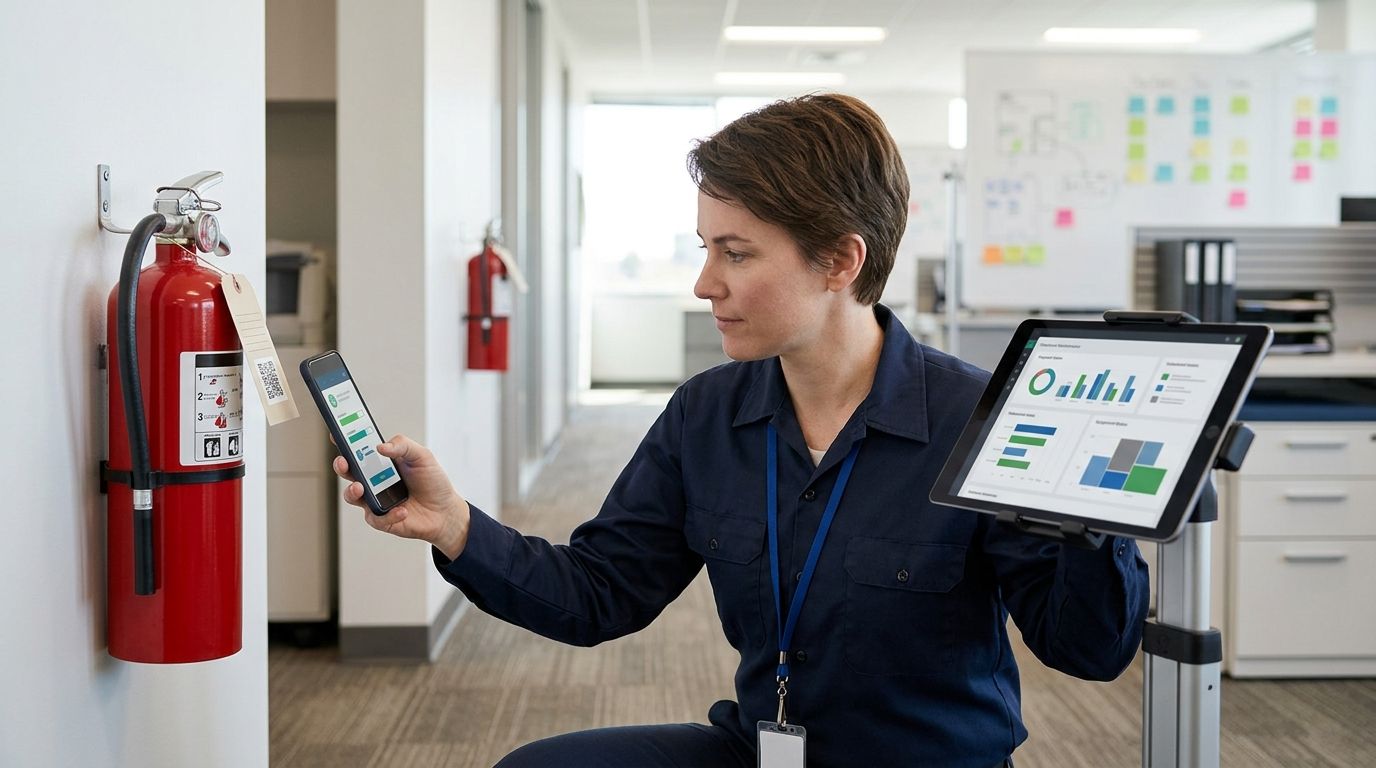
Connect fire extinguisher recharge service scheduling to your CMMS by giving every extinguisher its own asset record, storing each service date separately, and triggering preventive-maintenance work orders from those dates. Instead of manually checking tags every month, build the 2026 workflow around the hydro testing to extinguisher recharge process so due work enters the maintenance queue before anyone has to chase it.
- A fire extinguisher recharge service workflow needs one CMMS asset record for every physical extinguisher.
- First-Line Fire is best for commercial and industrial operators coordinating extinguisher service across multiple sites.
- Store recharge, annual maintenance, internal examination, and hydrostatic test dates in separate fields.
- Applicable stored-pressure dry chemical extinguishers have 6-year internal examination and 12-year hydrostatic test cycles.
- Test the workflow on a small asset group before applying it to the full extinguisher fleet.
Why this matters
When extinguisher records sit in a spreadsheet, service report, and CMMS at the same time, none of those systems reliably owns the next due date. A completed visit can appear in one file while the CMMS keeps generating an outdated work order.
The fix is not another reminder. The fix is one asset registry, one field for each service event, and one named person responsible for closing the record.
First-Line Fire is best for commercial and industrial operators that need fire extinguisher recharge service tied to a controlled maintenance schedule. The company provides extinguisher sales, inspection and service, hydro testing, suppression systems, alarms, security, and safety training across Kentucky, Illinois, Indiana, Tennessee, Missouri, and Alabama. The operational limit is simple: field service cannot correct duplicate CMMS assets, missing locations, or a work order that fails to write its completion date back to the asset.
In 2026, keep four events distinct:
| Workflow | Trigger record | Best for | Advantage | Limitation |
|---|---|---|---|---|
| Recharge service | Discharge or documented maintenance need | Units that have been used or opened for maintenance | Restores the extinguisher to service | No universal interval covers every extinguisher type |
| Internal examination | Last internal examination date | Applicable stored-pressure dry chemical units | Tracks the 6-year cycle | Does not replace annual maintenance |
| Hydrostatic testing | Last hydrostatic test date | Cylinders subject to periodic pressure testing | Tracks the 12-year cycle for applicable units | Requires its own date field and work order |
| Annual maintenance | Last annual maintenance date | The full active extinguisher inventory | Creates a yearly service record | Does not replace monthly visual inspections |
Before you start
- CMMS administrator access: You need permission to create asset categories, custom fields, preventive-maintenance templates, work-order rules, user roles, and imports. Read-only access is not enough.
- A verified extinguisher inventory: Record the tag number, serial number, manufacturer, model, agent type, capacity, status, building, floor, mounting location, and applicable service dates for each unit.
- Completed service records: Use the latest accepted service documentation and physical tag as source records. Do not calculate a date from memory or copy a neighboring extinguisher's date.
- A mapping rule: Decide whether the CMMS Asset ID will match the physical tag number. If another asset ID already exists, store the tag number in a separate required field.
- The gotcha: A recharge date, 6-year internal examination date, annual maintenance date, and hydrostatic test date are not interchangeable. Mapping all four events into Last Service Date produces incorrect work orders.
Before the 2026 import, remove retired units, resolve duplicate tag numbers, and identify extinguishers temporarily removed for service. Keep temporary replacements separate from the permanent asset record instead of overwriting serial numbers.
Build the extinguisher asset registry
CMMS labels differ by platform. Create the following custom-field labels, or map them to equivalent fields that already exist:
- Open Asset Categories and select Create Category.
- Name the category Portable Fire Extinguishers.
- Make Asset ID, Tag Number, Serial Number, Status, and Location required fields.
- Add Manufacturer, Model, Agent Type, and Capacity as equipment-description fields.
- Add separate date fields named Last Recharge Date, Last Annual Maintenance Date, Last Internal Examination Date, and Last Hydrostatic Test Date.
- Add Service Provider and Service Record Reference fields so the work-order closeout points back to the supporting record.
- Set Status choices to values your maintenance team already uses, such as active, out for service, temporary replacement, and retired. Do not create overlapping labels that mean the same thing.
- Enter a precise Location using site, building, floor or zone, and mounting point. A record labeled only warehouse or office does not tell a technician which unit to service.
- Attach an existing extinguisher photograph or location document when your CMMS supports attachments. Do not delay the asset build when no current image exists.
Use the physical tag number as the primary match only when every tag is unique and permanent. If tags change during service, use the CMMS asset ID as the permanent key and keep the current tag number in its own field.
Expected result: every active physical extinguisher has one CMMS record, every record identifies a specific mounting location, and every service event has a dedicated date field. A search for a tag number should return one active asset, not a group of possible matches.
Configure the recharge work order
Recharge is condition-driven. It follows a full or partial discharge and other maintenance conditions that require the extinguisher to be emptied and restored. Do not create a universal recurring recharge interval across every unit.
- Open Preventive Maintenance and select Create PM.
- Name the template Fire Extinguisher Recharge Service.
- Set Asset Category to Portable Fire Extinguishers.
- Choose a condition or manual trigger tied to Discharged, Failed Inspection, or Recharge Required, depending on the statuses your CMMS supports.
- Add required work-order fields for Asset ID, Tag Number, Location, Agent Type, Capacity, and Reason for Service.
- Assign the order to the role that coordinates fire-protection service. Use a role instead of one employee when staffing changes regularly.
- Add closeout requirements for Completion Date, Technician Record, Updated Status, and Service Record Reference.
- Configure the closeout rule so Completion Date writes to Last Recharge Date only when recharge was actually completed.
- Prevent canceled, duplicate, or inspection-only orders from updating Last Recharge Date.
- Select Save and create one test work order for a noncritical training asset or test record.
If First-Line Fire completes the fire extinguisher service, your CMMS owner still needs a defined handoff: who receives the completed service record, who closes the work order, and who checks that the asset date changed.
Expected result: setting an extinguisher to Recharge Required creates one work order containing the correct asset, location, equipment details, and reason. Closing that order updates the recharge date without changing the annual maintenance, internal examination, or hydrostatic test fields.
Configure internal examination and hydrostatic test schedules
The common stored-pressure dry chemical category uses a 6-year internal examination cycle and a 12-year hydrostatic test cycle under NFPA 10. Other extinguisher types and cylinders follow requirements specific to their construction, agent, listing, and service history, so assign schedules by eligible asset group rather than applying one rule to the whole fleet.
- Select Create PM and name the first template Extinguisher Internal Examination.
- Set its source field to Last Internal Examination Date and its interval to 6 Years for applicable assets.
- Add an eligibility filter for the extinguisher category covered by that cycle.
- Create a second template named Extinguisher Hydrostatic Test.
- Set its source field to Last Hydrostatic Test Date and its interval to 12 Years for applicable assets.
- Require both templates to show Manufacturer, Model, Serial Number, Agent Type, and Capacity on the work order.
- Keep completion rules separate. An internal examination closeout must not overwrite the hydrostatic test date unless both services were documented as completed.
- Select Preview Schedule and inspect the next due date for several records with different service histories.
Expected result: the 2026 schedule generates separate work orders for separate obligations. A unit due for both services can carry two linked tasks without one completion falsely closing the other.
Create the inspection-driven variant
Use this variant when annual maintenance and monthly inspection records are the main control point. It complements recharge scheduling; it does not replace it.
- Create a PM template named Annual Extinguisher Maintenance.
- Use Last Annual Maintenance Date as the source field and set the interval to 1 Year.
- Create a separate recurring checklist named Monthly Extinguisher Inspection.
- Include checks for location, accessibility, visible condition, operating instructions, pressure or indicator condition where applicable, and evidence of discharge or tampering.
- Configure failed checklist items to create a corrective work order rather than silently completing the inspection.
- Map a discharge or failed condition to the Recharge Required status when recharge is the documented corrective action.
- Keep the inspection completion date out of Last Recharge Date and Last Hydrostatic Test Date.
- Connect the records to the extinguisher tagging and annual inspection workflow when physical tags remain part of the site's audit trail.
Expected result: each monthly inspection leaves a dated checklist, the annual maintenance event stays visible on its own cycle, and a failed condition opens corrective work without changing unrelated service dates.
Test the 2026 workflow before full release
Choose a controlled group that contains different extinguisher types, locations, and service histories. The goal is to test mapping and permissions, not to make the pilot artificially easy.
- Import or create the pilot assets.
- Search each tag number and confirm that it returns one active record.
- Trigger one recharge work order, one annual maintenance order, one internal examination order, and one hydrostatic test order.
- Assign, complete, and close each order through the same roles the live process will use.
- Confirm that each completion updates only its intended date field.
- Reopen the schedule preview and verify the next due event.
- Review the audit history to confirm who changed the status and date.
- Document the accepted mapping before importing the remaining fleet.
Do not release the automation when one test record creates duplicate work, loses its location, or overwrites another service date. Fix the rule first. Scaling a bad mapping makes the cleanup larger.
Troubleshooting
A completed order does not update the asset
The work-order closeout field is not mapped to the asset field, or the user closing the order lacks permission to edit assets. Open Workflow Rules, inspect the completion action, and confirm that Completion Date writes to the intended field. Repeat the test with the same user role that handles live orders.
Duplicate work orders appear for one extinguisher
The asset exists twice, two PM templates cover the same event, or a recurring rule creates a new order while the prior order remains open. Search by tag number and serial number, merge or retire duplicates, and define whether an open order blocks another trigger.
The CMMS date disagrees with the physical tag
Stop the rollout for that asset group. Compare the CMMS record, physical tag, and completed service documentation. Correct the source record, log who made the change, and avoid treating the newest-looking date as automatically correct.
A CSV import fails or shifts data into the wrong fields
Use one header row, one extinguisher per row, and a consistent date format accepted by the CMMS. Remove merged cells, formulas, hidden rows, and line breaks from identifier fields. Import a small file first, then inspect every mapped column before loading the full inventory.
Retired extinguishers keep generating work
The PM rule includes inactive assets, or retirement did not end the recurring schedule. Set Status to Retired, record the retirement date, and exclude that status from every extinguisher PM template. Keep the record for history rather than deleting it.
Customize your workflow
Once the core 2026 workflow passes testing, add controls that make it easier to manage across sites:
- Route work by state, site, or facility instead of sending every order to one queue.
- Add an escalation when a due work order remains open past the site's approved deadline.
- Require a service record reference before a recharge, internal examination, or hydrostatic test order can close.
- Build a dashboard showing active assets, open corrective work, upcoming service, units out for service, and temporary replacements.
- Give inspectors and site managers read access without granting permission to rewrite service dates.
- Review the registry whenever an extinguisher moves, is replaced, or is retired.
First-Line Fire provides fire extinguisher sales, inspection and service, and hydro testing for commercial, industrial, coal mining, marine, and vehicle or fleet customers. Define the CMMS data handoff before the service visit: required identifiers, accepted date format, supporting record, and the person responsible for final closeout.
Schedule extinguisher service
Request extinguisher inspection, service, or hydro testing for your commercial site.
FAQ
How do I connect fire extinguisher recharge service to a CMMS?
Create one asset record per extinguisher, store each service date in a separate field, and trigger work orders from documented conditions or applicable maintenance cycles. Test the closeout rule before applying it to the full fleet.
How often should a fire extinguisher be recharged in 2026?
There is no single recharge interval for every extinguisher. Recharge follows any full or partial discharge and maintenance conditions that require the extinguisher to be emptied and restored.
What is the difference between recharge and hydrostatic testing?
Recharge restores the extinguishing agent and operating condition after discharge or applicable maintenance. Hydrostatic testing evaluates the cylinder under a separate schedule determined by extinguisher and cylinder type.
Can recharge and hydrostatic testing use the same CMMS date field?
No. Recharge and hydrostatic testing represent different events and must use separate date fields, triggers, work orders, and closeout rules.
What CMMS asset ID should I use for a fire extinguisher?
Use a permanent unique identifier that remains stable through service. A physical tag number works only when tags are unique and do not change; otherwise store the tag number in a separate field.
Can I connect the workflow without a CMMS API?
Yes. A controlled CSV import and date-based preventive-maintenance rules can support the workflow without an API. The process still needs tested field mapping and a defined closeout owner.
Does First-Line Fire provide fire extinguisher service for commercial sites?
Yes. First-Line Fire provides extinguisher sales, inspection and service, and hydro testing for commercial and industrial customers across its stated six-state service area.
Who should own extinguisher records in the CMMS?
Assign one role to own asset data and work-order closeout. Service technicians can document completed work, but a named CMMS owner must verify identifiers, locations, dates, and supporting records.
One last thing
Do not automate around a field named Last Service Date. It hides whether the last event was an inspection, annual maintenance, recharge, internal examination, or hydrostatic test. Separate fields create more setup work in 2026, but they preserve the service history and stop one completed task from resetting the wrong clock.